
How can I contact support?
Can't find the answer to your question in our knowledge base? Feel free to contact support directly. Once you are logged in to the system, you can send us a message or use our AI assistant to get help.
We prefer that you contact support while logged into doCuro. This way, we can see much more information about you, which makes support faster and better.
Contact us inside the system (Preferred method).
-
In the bottom-right corner, you will see a button. Click it.

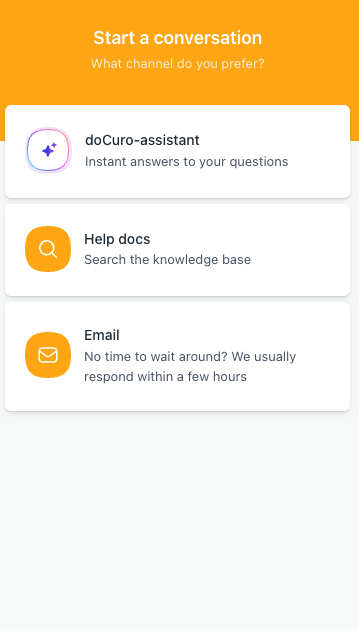
- A box with several options opens. doCuro assistant: Get instant answers to your questions.
- The assistant replies directly in the chat and is based on our knowledge base. You don't need to wait for a support agent.
- Support documents: Search the knowledge base. Here you will find guides and answers to common questions about doCuro, around the clock.
-
Email: Don't have time to wait? Send us a message and we will reply, usually within a few hours.

Contact us outside the system
We prefer that you contact support through the system, because we then receive information directly about which system you belong to. This means your request can be handled faster, which is good for both you and us.
Can't get into the system but still need to speak with us? Send an email to help@docuro.se.